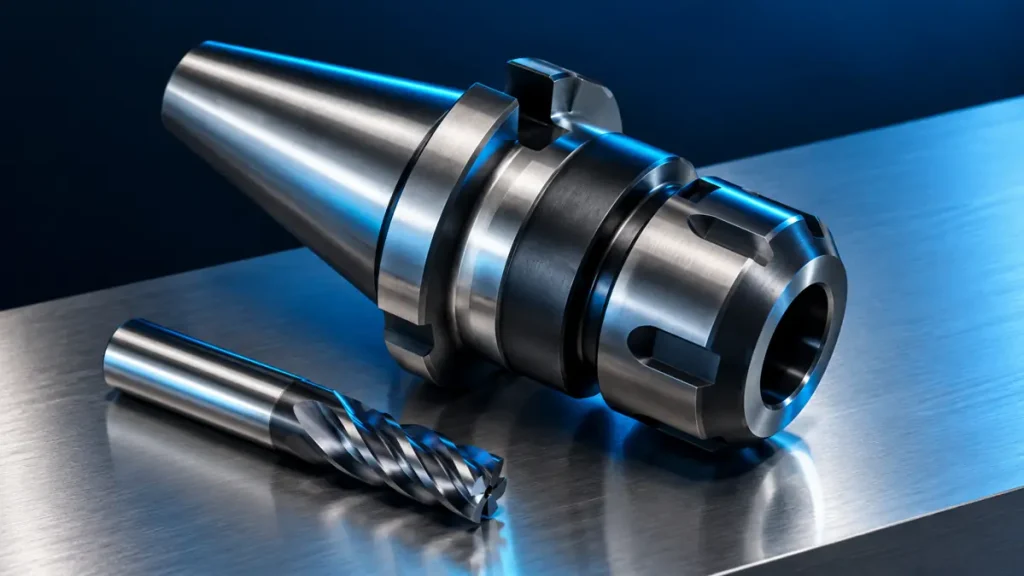
Knowing the cutter shank diameter is not enough to select a CNC toolholder. The holder must match the machine spindle interface, cutting tool, operating speed and tool-change arrangement. Record the interface from the machine manual or spindle nameplate first; two similar-looking tapers are not automatically interchangeable.
Record the spindle interface precisely
Use the machine maker’s documentation to identify the interface family and size. HSK, BT and SK families have defined geometries and contact arrangements. Even the same nominal size does not make two different interfaces interchangeable. SCHUNK’s toolholder configurator lists options such as HSK-A, HSK-C, SK and JIS-BT separately, illustrating why the machine-side standard and size must be known first. See the official SCHUNK toolholder configurator.
| Specification | What to record |
|---|---|
| Machine interface | Exact standard, form and size from the spindle documentation |
| Tool shank | Nominal diameter, tolerance and shank type from the tool data |
| Operation | Milling, drilling, finishing or heavy machining |
| Access | Required reach and the shortest practical projection |
Match the clamping method to the shank
Collet, shrink-fit, hydraulic and other holders each have their own range and instructions. Match shank diameter, flats or grooves, engagement length and permitted tool type to the maker’s documentation. An unsuitable collet or clamping on the wrong part of a shank can cause slippage or damage. Do not infer holding capacity or maximum speed from a generic product name.
Check projection and assembled runout
Do not rely on overall holder length alone. Compare the gauge-line-to-tool-tip dimension and tool projection with the part drawing and available access. A longer assembly can be more sensitive to deflection and vibration. Measure runout on the assembled system using the specified method, because contact-surface cleanliness, collet condition, nut, shank and correct clamping all affect the result. Do not apply a component’s published figure to the whole assembly without checking the test conditions.
Pre-run checks
- Clean and inspect the holder and spindle contact surfaces as instructed.
- Check the speed limits of the holder, collet and cutting tool separately.
- Assemble clamping parts with the maker’s stated method and torque.
- Verify tool length and diameter offsets after a tool change.
- Stop and investigate unusual vibration or sound.
What to include in a CNC toolholder enquiry
Send a photograph of the machine nameplate, spindle brand and model, interface standard and size, shank diameter and type, access depth, operation and required speed. Include the holder part number if available. Browse the CNC tools catalog or request a CNC toolholder review so compatibility and sourcing terms can be checked before agreement.
Frequently asked questions about CNC toolholders
Can a BT holder be used in an HSK spindle?
No. Use the interface designed and approved for the machine spindle. Any adapter must also be suitable for the complete assembly and its maker’s limits.
Is shank diameter enough to choose a collet?
No. Check shank tolerance, engagement length, shank type, collet size and type, and the assembly instructions.
Technical references
Practical selection checks
Verify the spindle interface, collet, shank, projection and speed limit against the machine and holder documentation. Send the machine model and complete tool setup for compatibility review.
Browse the industrial tool catalog or send a technical enquiry.
Additional selection checks
Check the spindle interface, collet, shank, projection and speed limit against the machine and holder documentation. Send the exact machine and tool setup for compatibility review.
Browse the industrial tool catalog or send a technical enquiry with the exact code and application.
Use this guide for initial understanding and comparison. For operating limits, safety and exact settings, follow the manual and datasheet for the specific tool model and your workplace procedures.